Your AI Copilot for the government marketplace.
Ask about your next step, a document you are missing or a requirement you do not understand. Answers are grounded in your company information and authoritative sources, and are always labelled AI-generated.
- 5parts of your workspace the Copilot can see
- Alwayslabelled AI-generated, with citations
- Neverofficial government advice or an eligibility decision
Grounded in your workspace, not guesses.
- CitationsAnswers cite where information came from, linking to official sources or the page in your workspace.
- Document titles, not contentsThe Copilot sees your document inventory, such as titles, categories and expiry dates, never the files themselves.
- Says when it doesn't knowIf your workspace doesn't have the answer yet, the Copilot tells you what is missing instead of inventing it.
- Conversations you can return toSearch, continue and archive conversations. Each one keeps its context.
Ask in plain words. Get answers from your own records.
Clearly labelled. Never official advice.
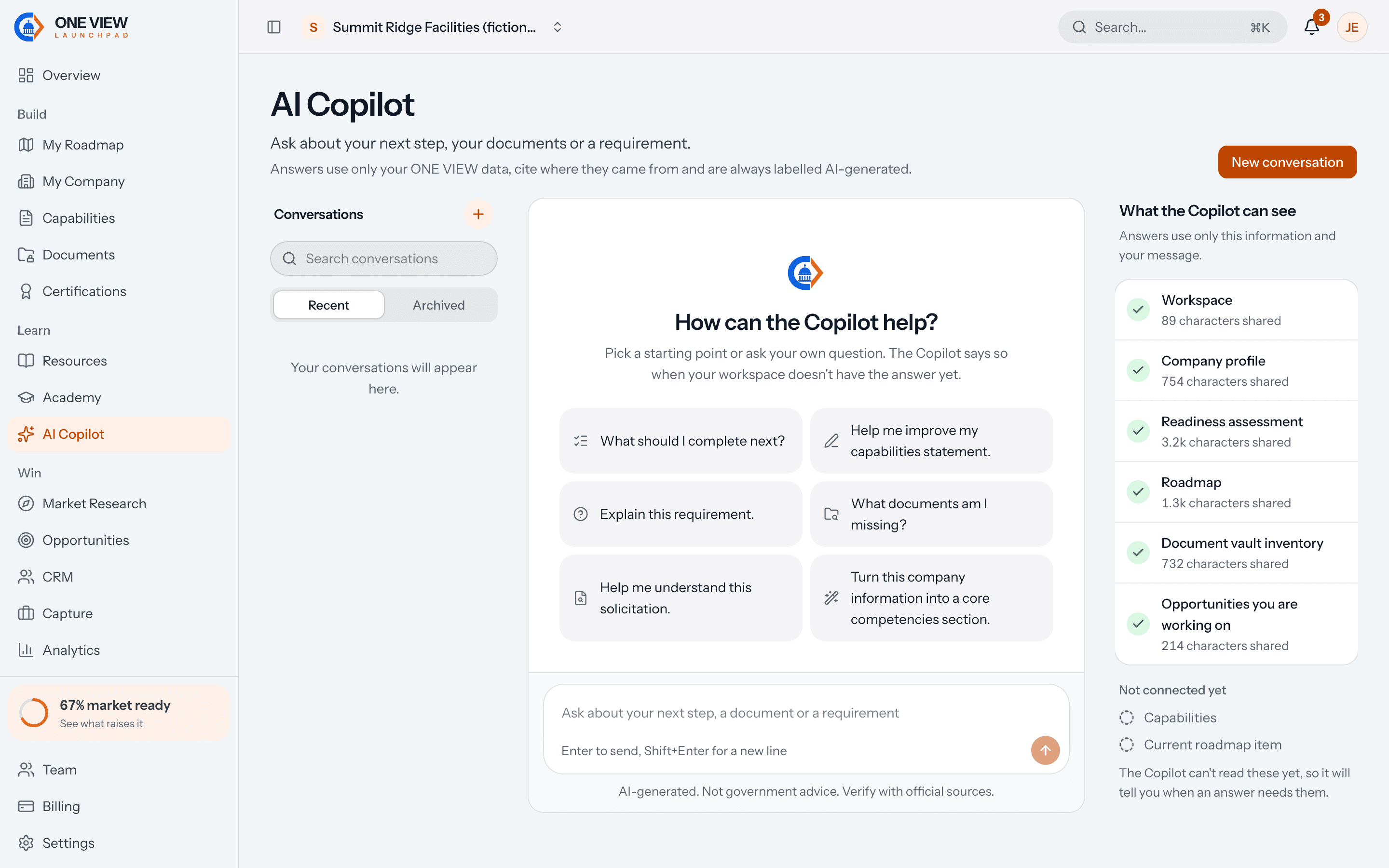
How can the Copilot help?
Pick a starting point or ask your own question.
- What should I complete next?
- Help me improve my capabilities statement.
- Explain this requirement.
- What documents am I missing?
- Help me understand this solicitation.
- Turn this company information into a core competencies section.
What the Copilot can see
Answers draw on this information, your message and official sources.
- Company
- Readiness
- Documents
- Capabilities
- Current roadmap item
Illustrative preview of the Copilot's three panes. Conversation titles are examples.
Recommendations that link to the work.
Your readiness is 67%.
Three areas need attention.
- Complete capabilities statement
Buyers ask for it first, and three sections are still empty.
- Upload insurance evidence
Operations readiness counts insurance only when a certificate is on file.
- Review cybersecurity readiness
Four basic safeguarding items are unanswered.
AI-generated. Not government advice. Verify important information with official sources.
Illustrative preview